Projected Cost App
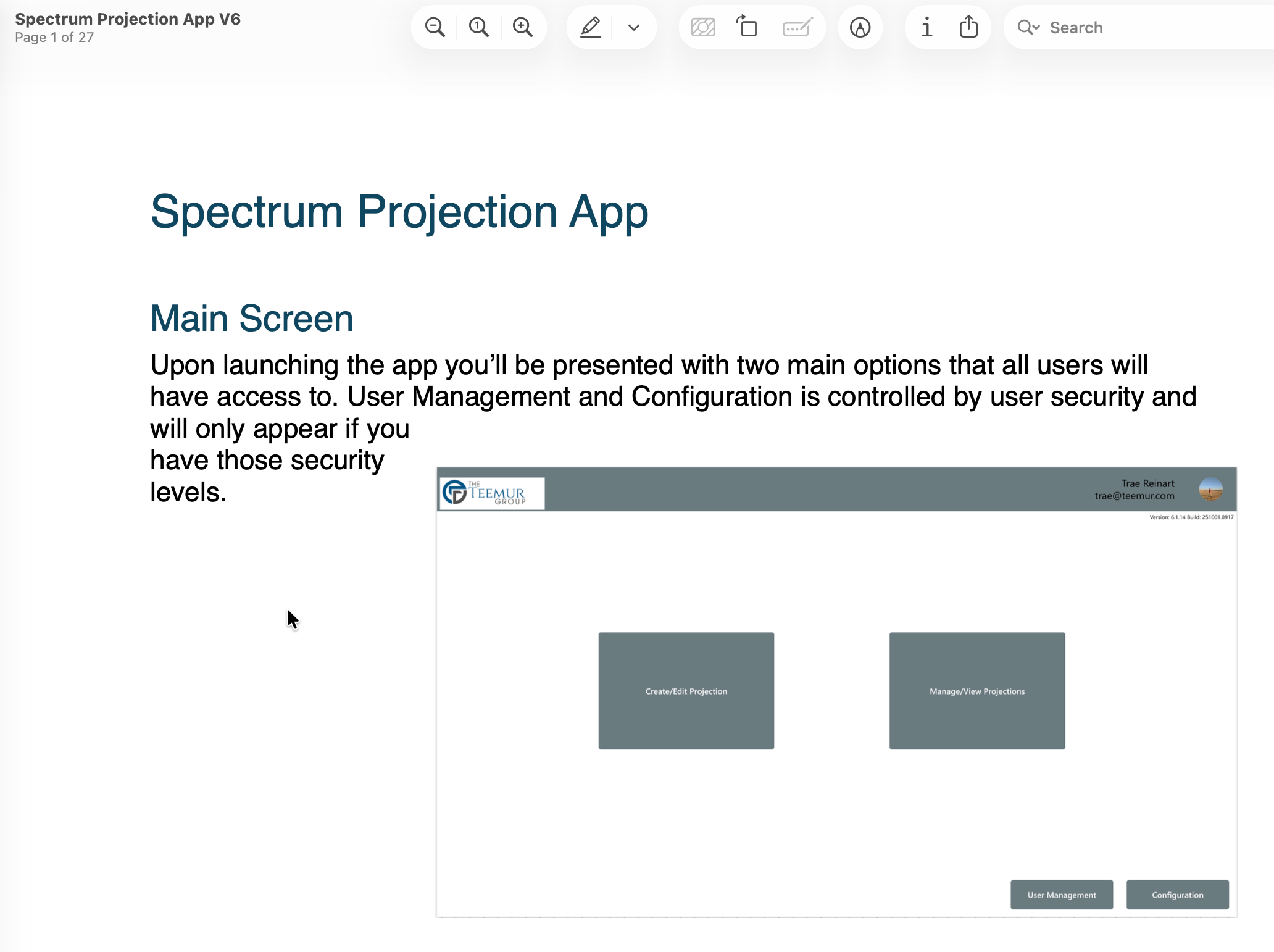
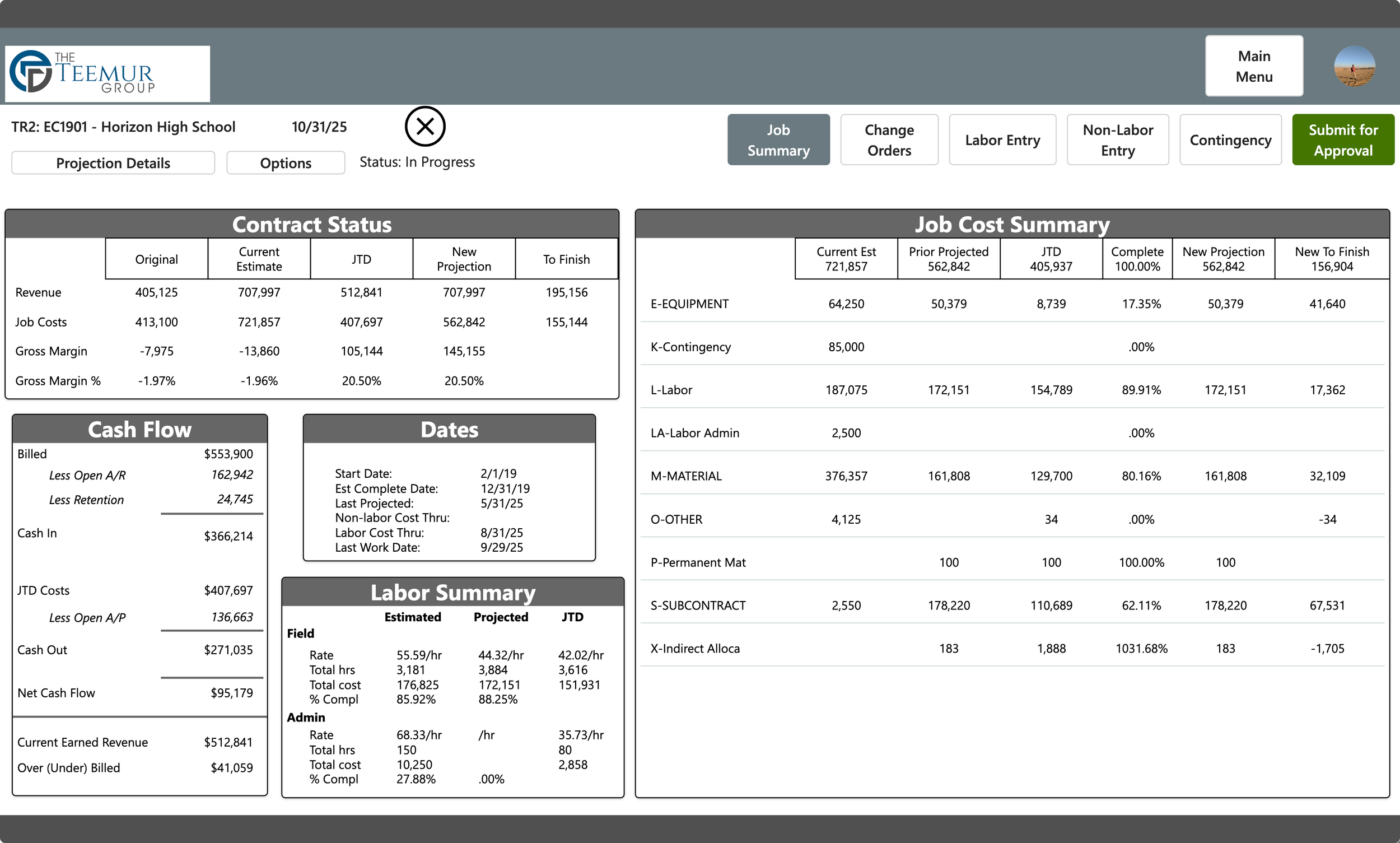
Spectrum’s built in projected cost screen lacks a lot of features important to project managers that helps them accurately project costs on their jobs. This custom Power App leverages your existing Microsoft 365 infrastructure and security to provide a much better user experience, all the data from Spectrum at your fingertips, and ability to better visualize the impact of your projections. The workflow includes security based workflows and an approval process before posting natively into Spectrum’s projected cost history.
-
![]()
Labor Phases
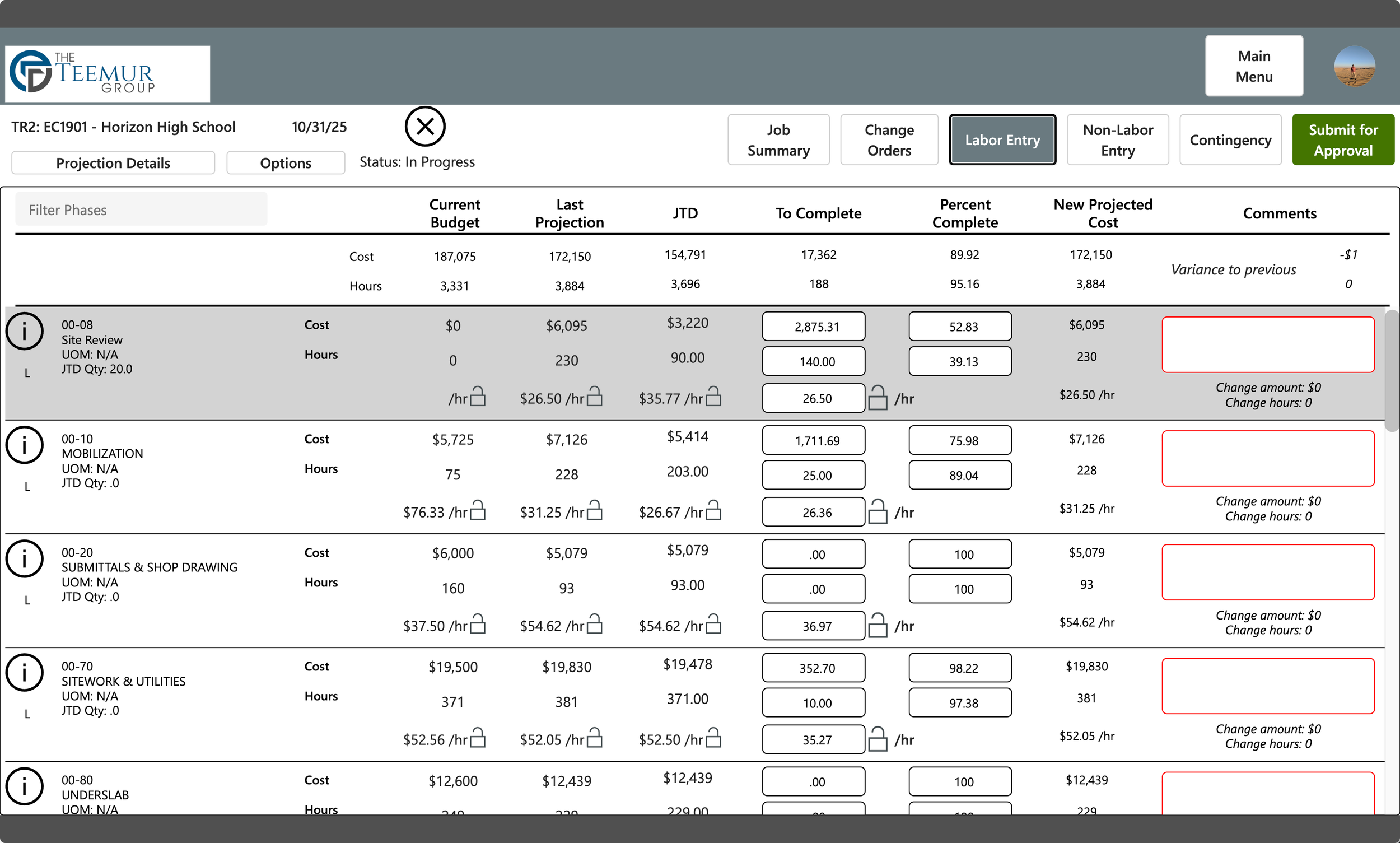
Review labor phases with the abilty to lock in rates by phase by the budgeted, projected, JTD, or custom labor rates. Enter hours, dollars, percent dollars, or percent hours and have everything recalculate.
-
![]()
Access to all details
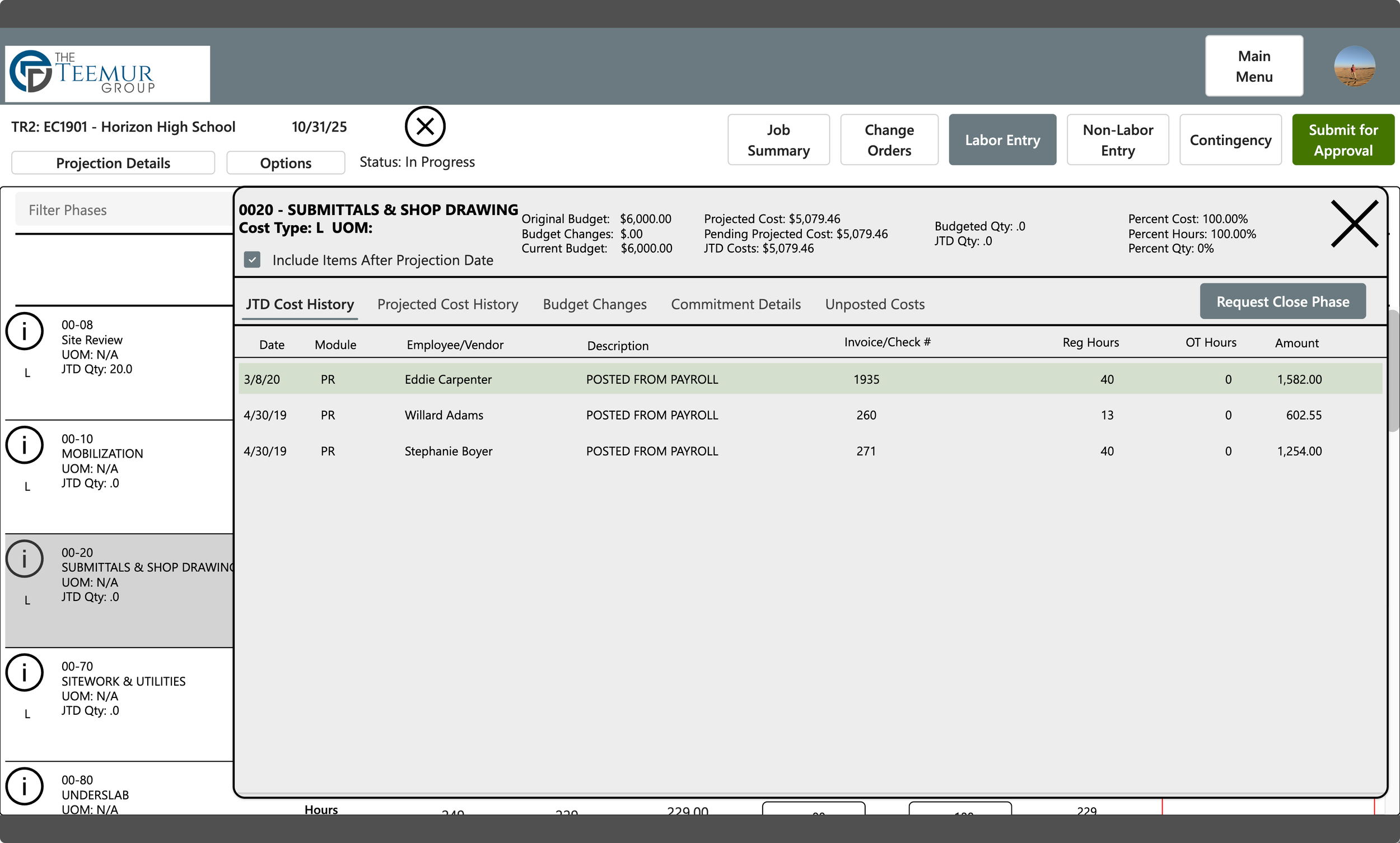
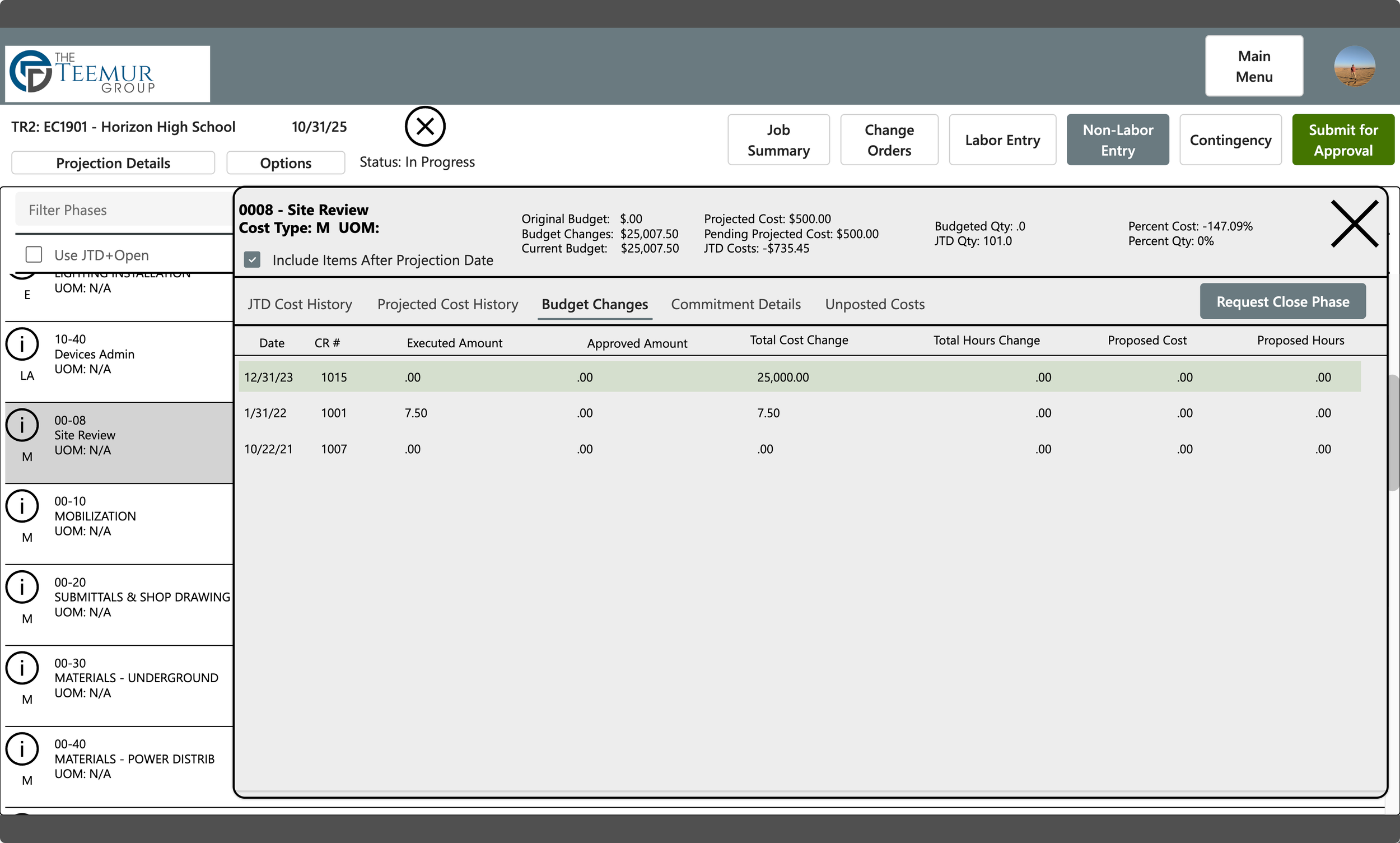
Drill into each phase and get full history including costs, projected cost history, budget changes, commitments, and even unposted costs.
-
![]()
Don't miss a single detail
History to commitments, have it all at the click of a button while reviewing and entering your projections.
Contingency Management
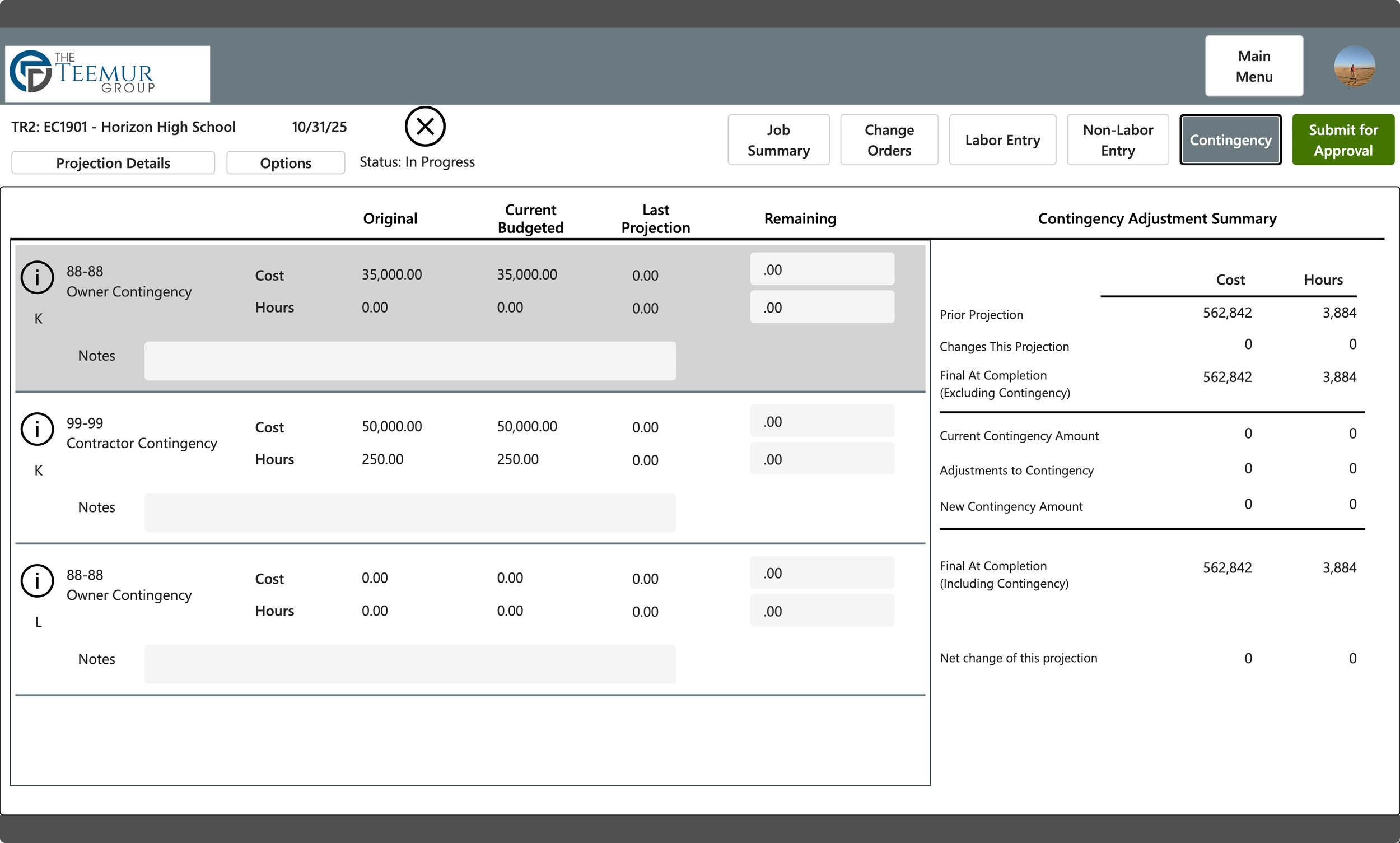
Spectrum has no built in concept of contigency. This app allows you to specify the phases and/or cost types related to contingency and pulls them out of the main projection and allows for the PM to think in terms of moving cost and hours in and out of the contingency phase(s) with the goal of reaching a net zero projection. Full history of when and why values are moved in and out are stored so that you can look back to see how contingency was consumed over time.
Mark Phases Inactive/Complete
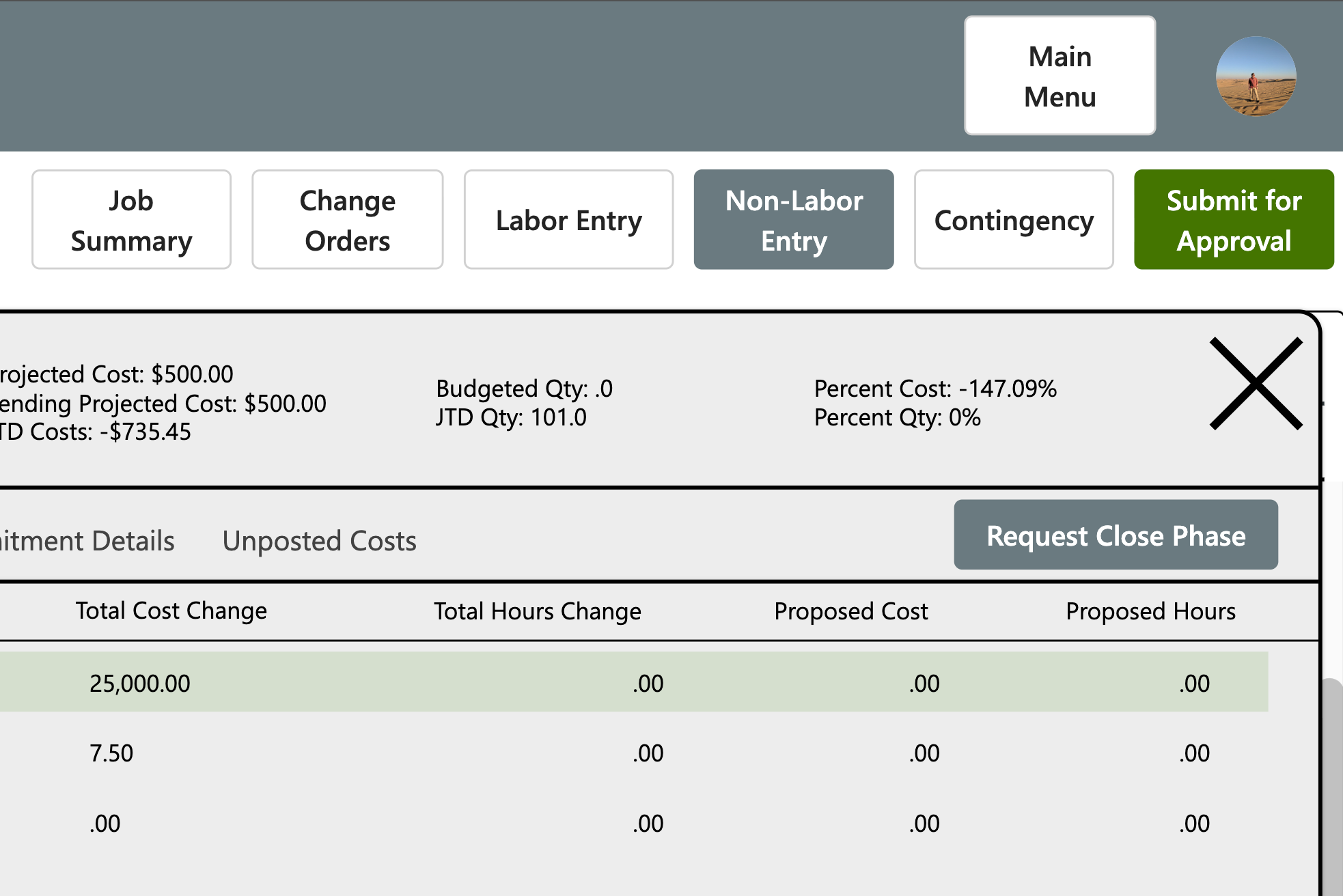
Spectrum makes it difficult to use the statuses of phases to be able to control costs to ensure that completed phases are not available for future costs. During the projection process you can request that a phase be closed. The list of close requests are reviewed during the final approval process, and if accepted then the app will post any changes to projected cost and then update the status automatically. Closed phases will still appear in the projection process for review in the future, but cannot be edited.
Final Review & Approval
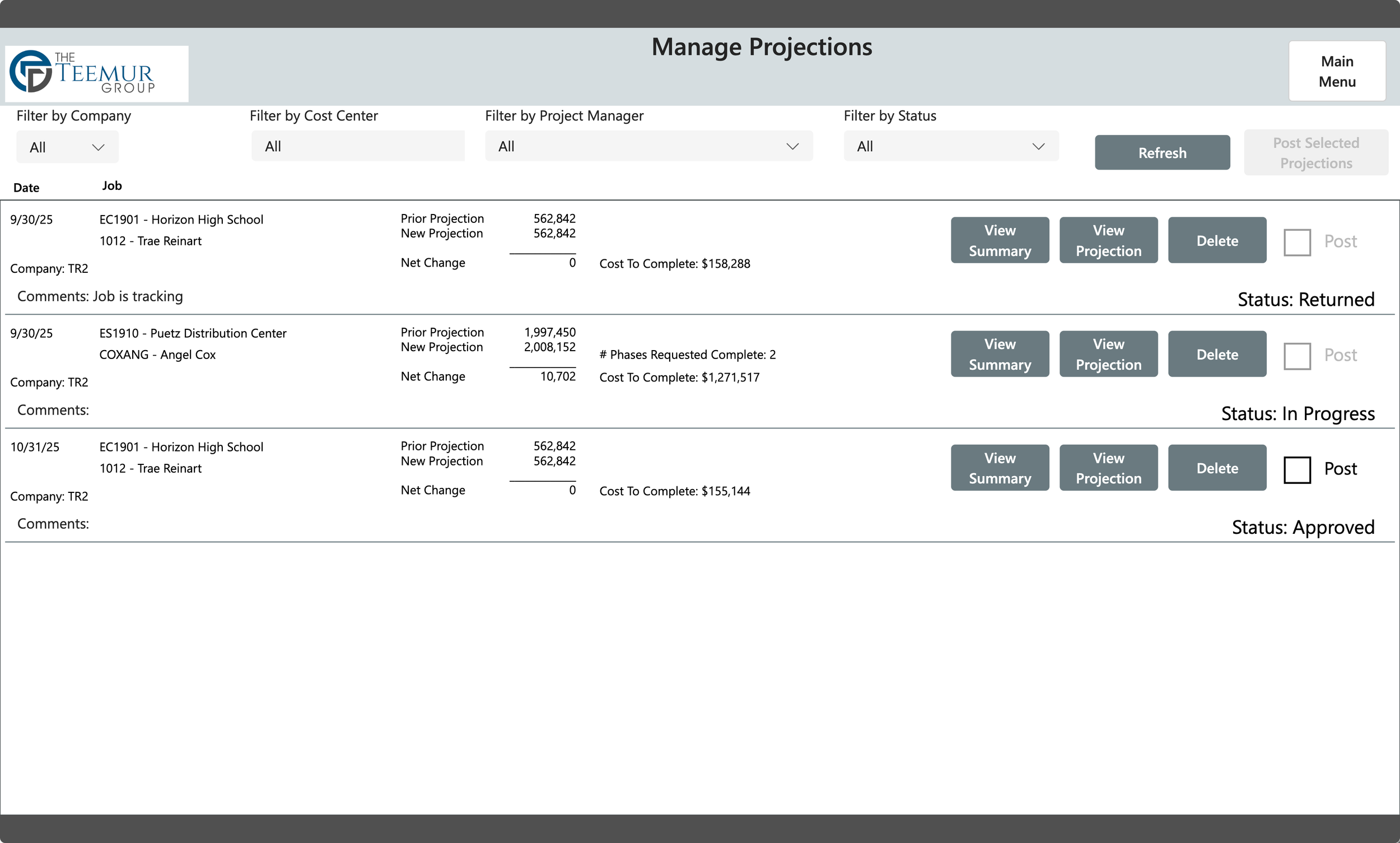
All projections land in this screen for final approval and posting to Spectrum. Division leaders can review projections and approve them for posting to Spectrum. Based on security decisions you can then hold those projections for accounting review before posting to Spectrum. If an issue is found during the review the projection can be returned to the PM with the option to notify them by email as to the issue with the projection.
Download the manual for the app to learn about all the fetaures and how to use the app